Say it.
It’s sorted.

Companion turns what you say into expenses, reminders and notes, and puts each one where it belongs. In English, or the language you think in.

Sorted

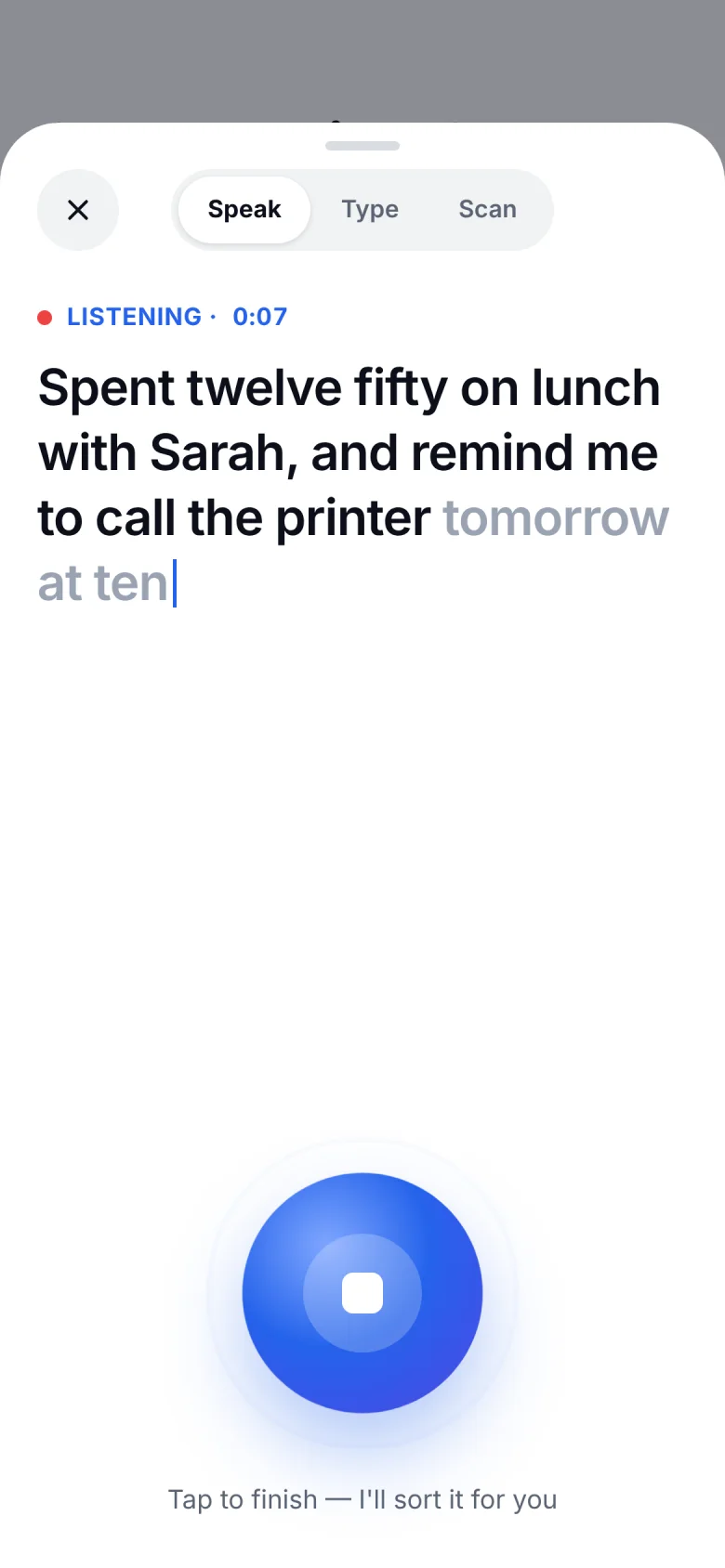
“Spent twelve fifty on lunch with Sarah, remind me to call the printer at ten, and Ali owes me two hundred”

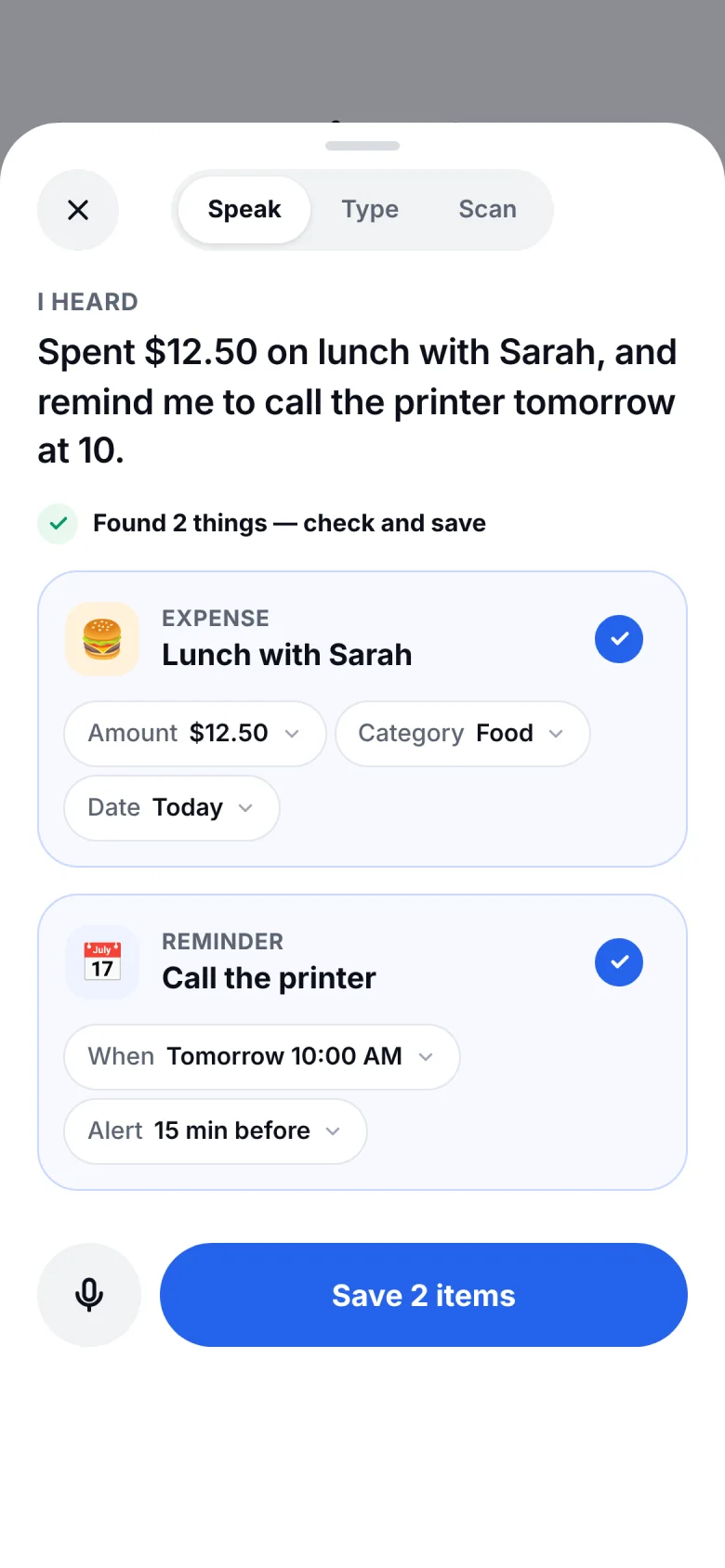
  • Saved to MoneyLunch with Sarah $12.50
  • Saved to AgendaCall the printer Tomorrow, 10 AM
  • Saved to LedgerAli Raza owes you $200

Three steps, about ten seconds.

  1. Tap the mic and talk

    Say it the way you’d tell a friend. One sentence can hold an expense, a reminder and a note.

  2. Check what it found

    Companion shows each item with its amount, date or category. Change anything with a tap.

  3. Save, and move on

    Expenses go to Money, reminders to Agenda, ideas to Notes. Undo is always one tap away.

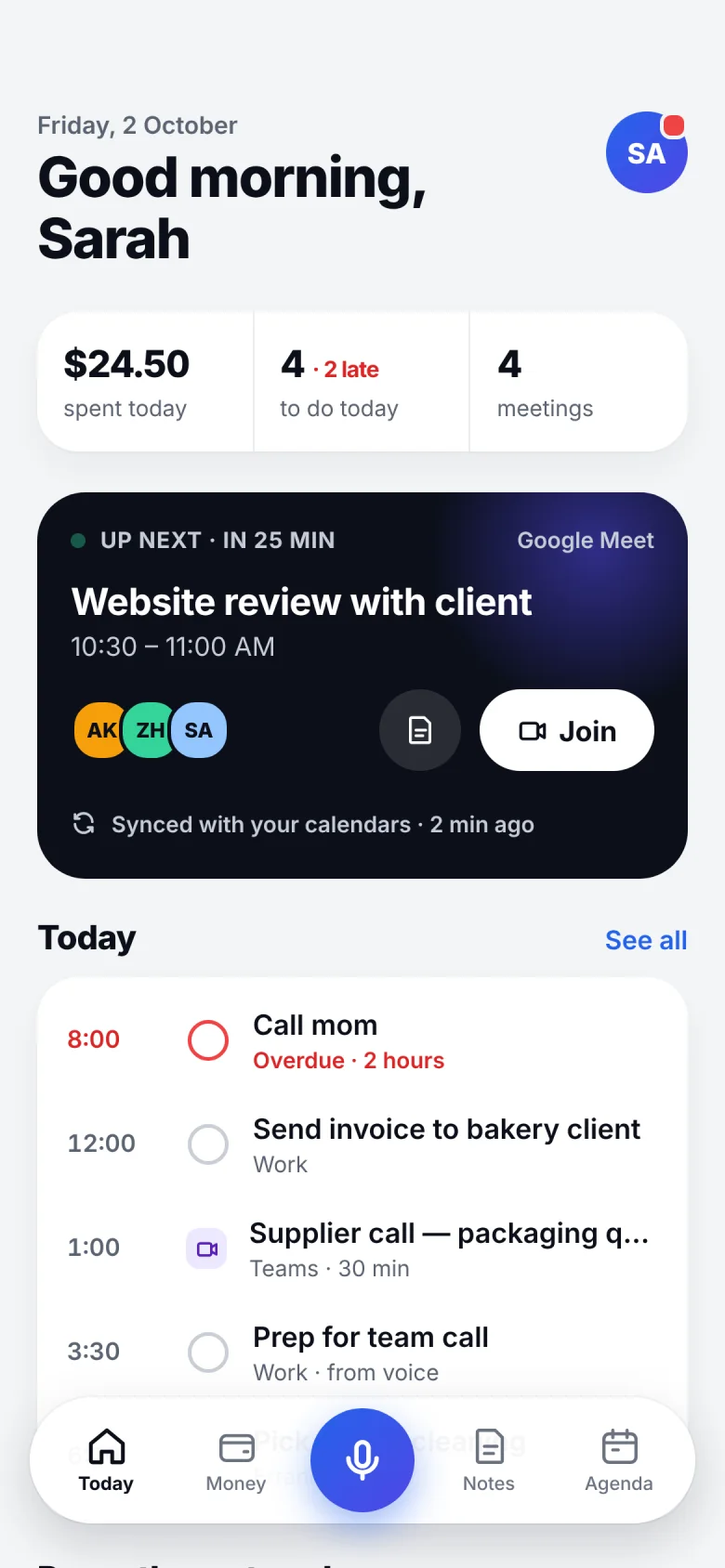
Companion listening screen, with the sentence appearing as it is spoken Companion review screen: it heard an expense, Lunch with Sarah, and a reminder, Call the printer, both ready to save Companion Today screen after saving, with spending, to-dos and the next meeting

Here is one Friday, from the first meeting to the last receipt.

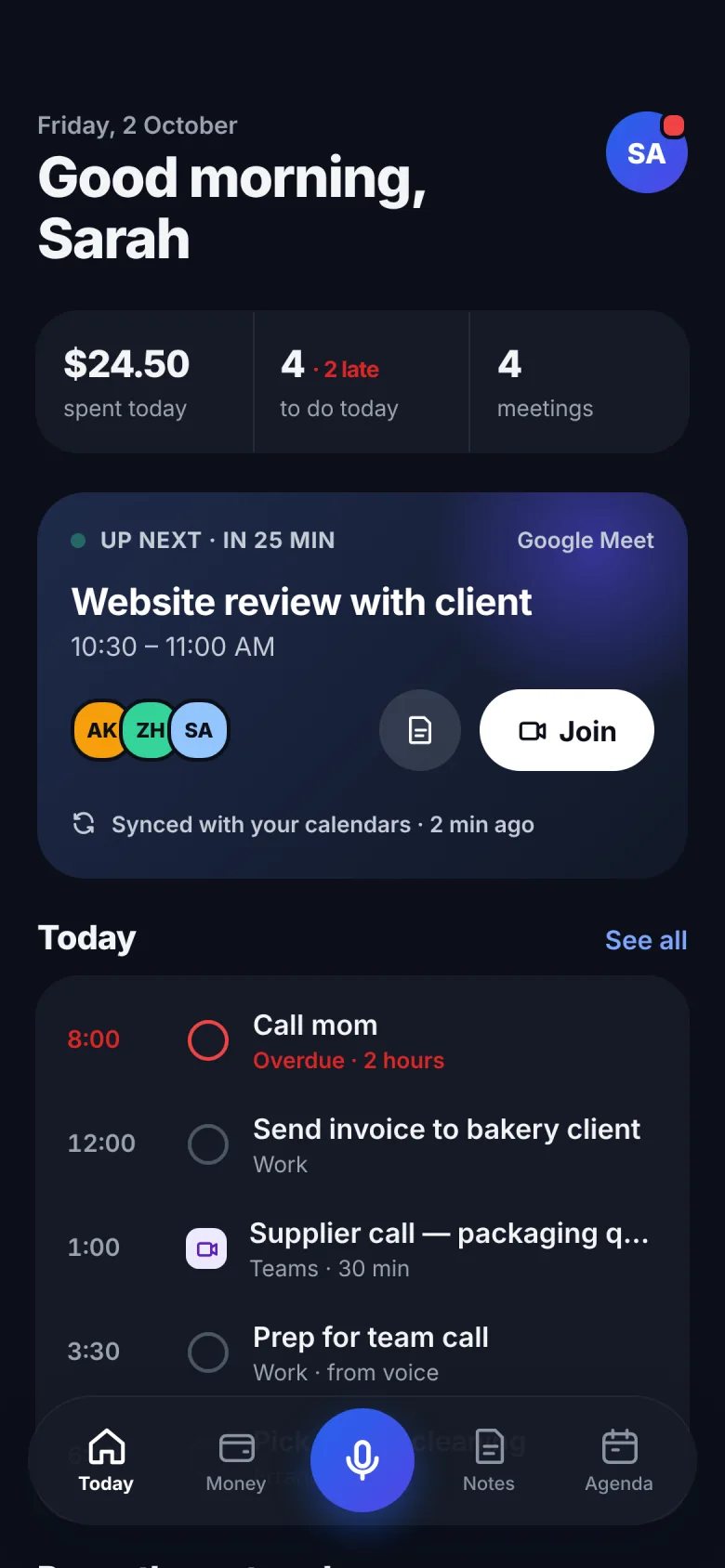
Companion Today screen showing money spent today, to-dos, and the next meeting with a Join button

Your whole day, in one calm app.

Today opens on what matters now: what you’ve spent, what’s due, and your next meeting with a Join button ready.

  • Google and Outlook meetings, with one-tap Join
  • Reminders that repeat, with a nudge before they’re due
  • Birthdays and holidays from your calendar, ready to tick off
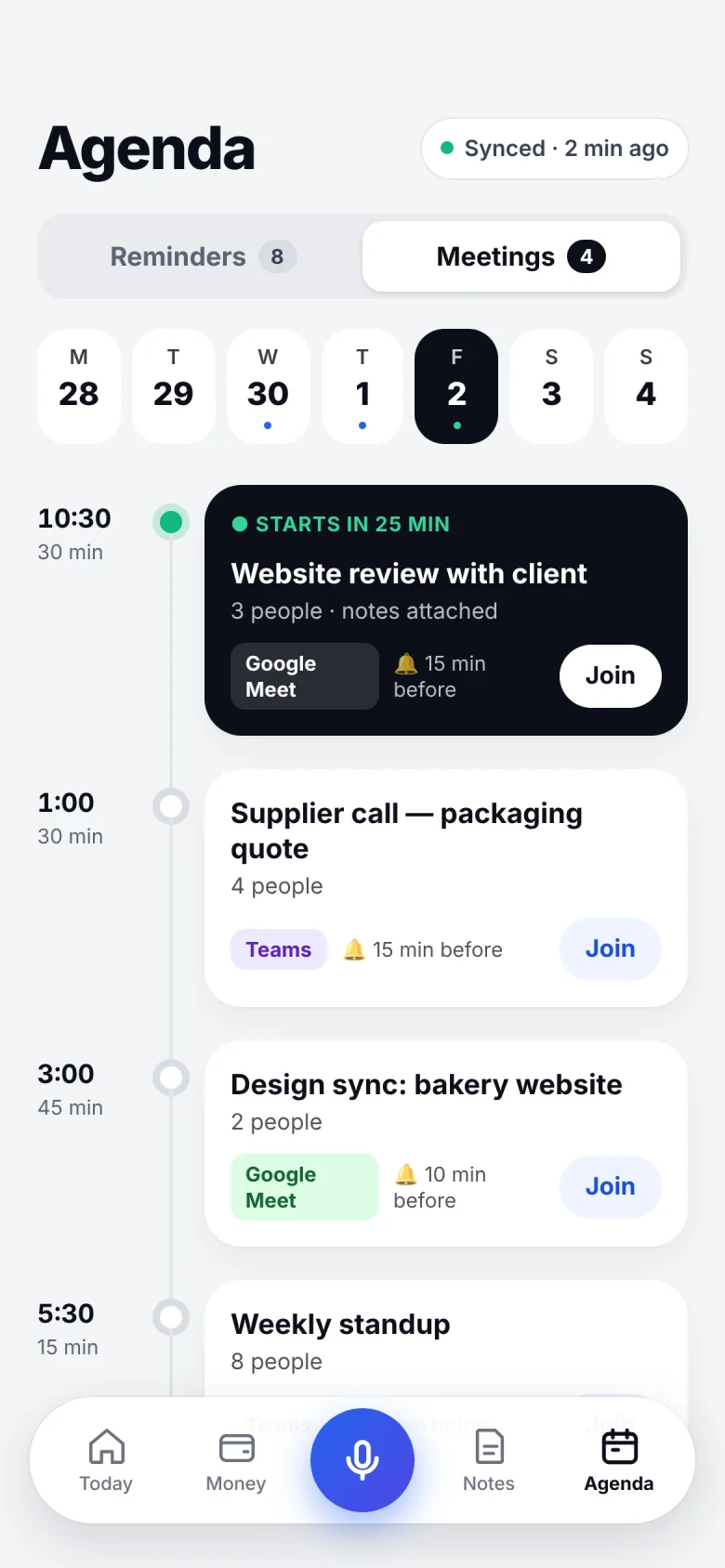
Companion Agenda screen showing today’s Google Meet and Teams meetings, each with a Join button

Never miss a call.

Google Meet, Teams and Outlook meetings arrive from your calendars, with a reminder before each one and one-tap Join.

Read-only. Titles, times and meeting links come in; nothing goes back.

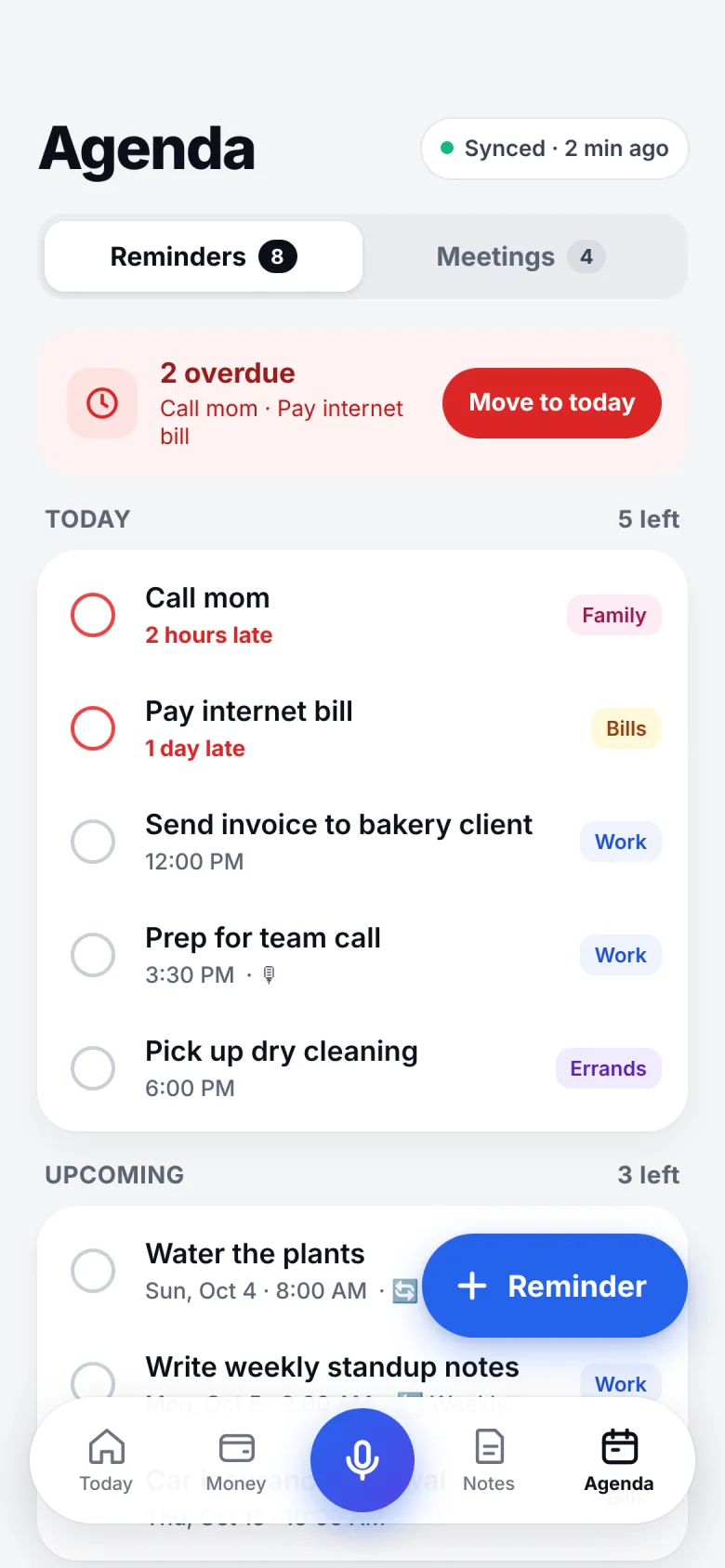
Companion Agenda screen showing two overdue reminders and today’s to-dos

Reminders live next door.

Everything you said you’d do sits beside your meetings. Anything late waits at the top until you move it to today.

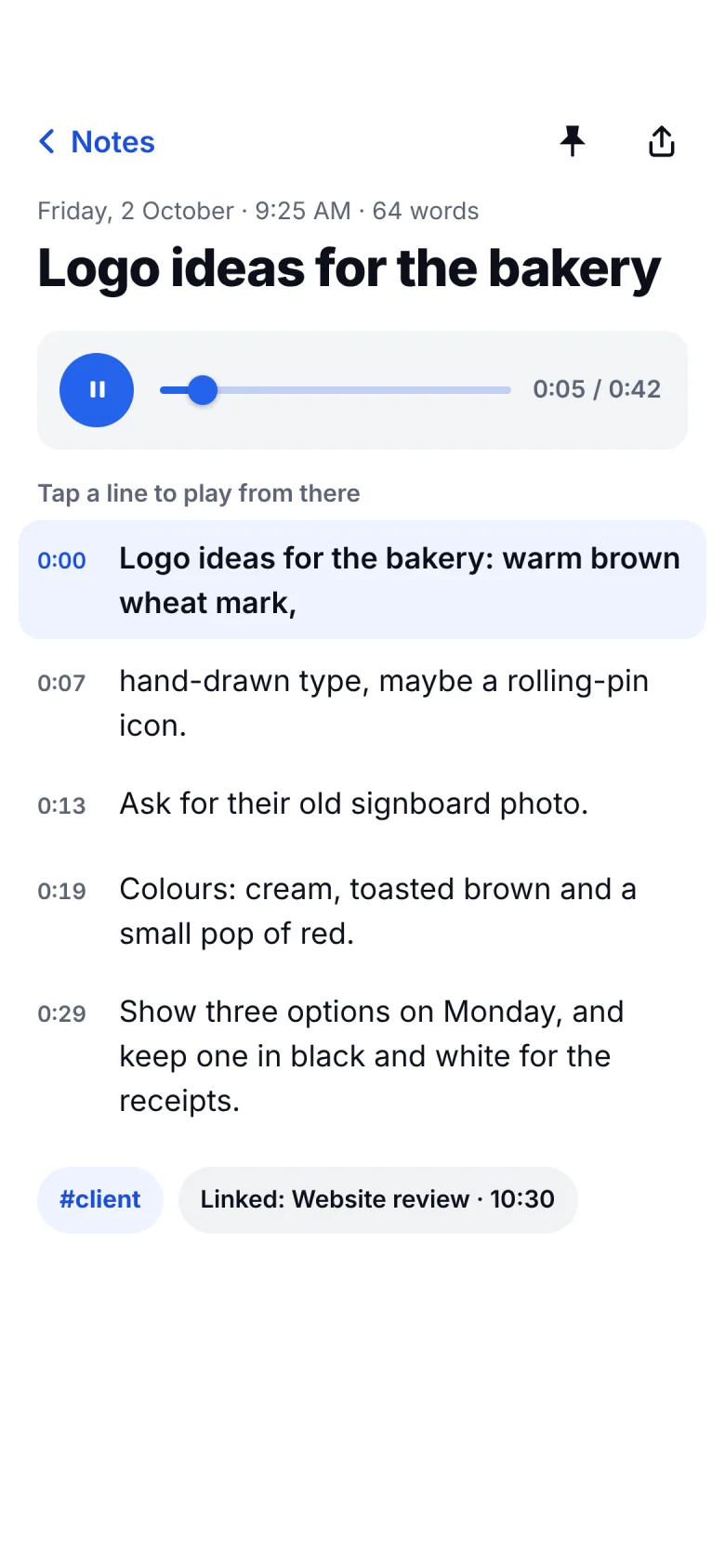
Companion voice note with its recording and transcript; tapping a line plays from there

Notes that keep your voice.

Every note keeps its recording. Tap any line of the transcript and it plays from there.

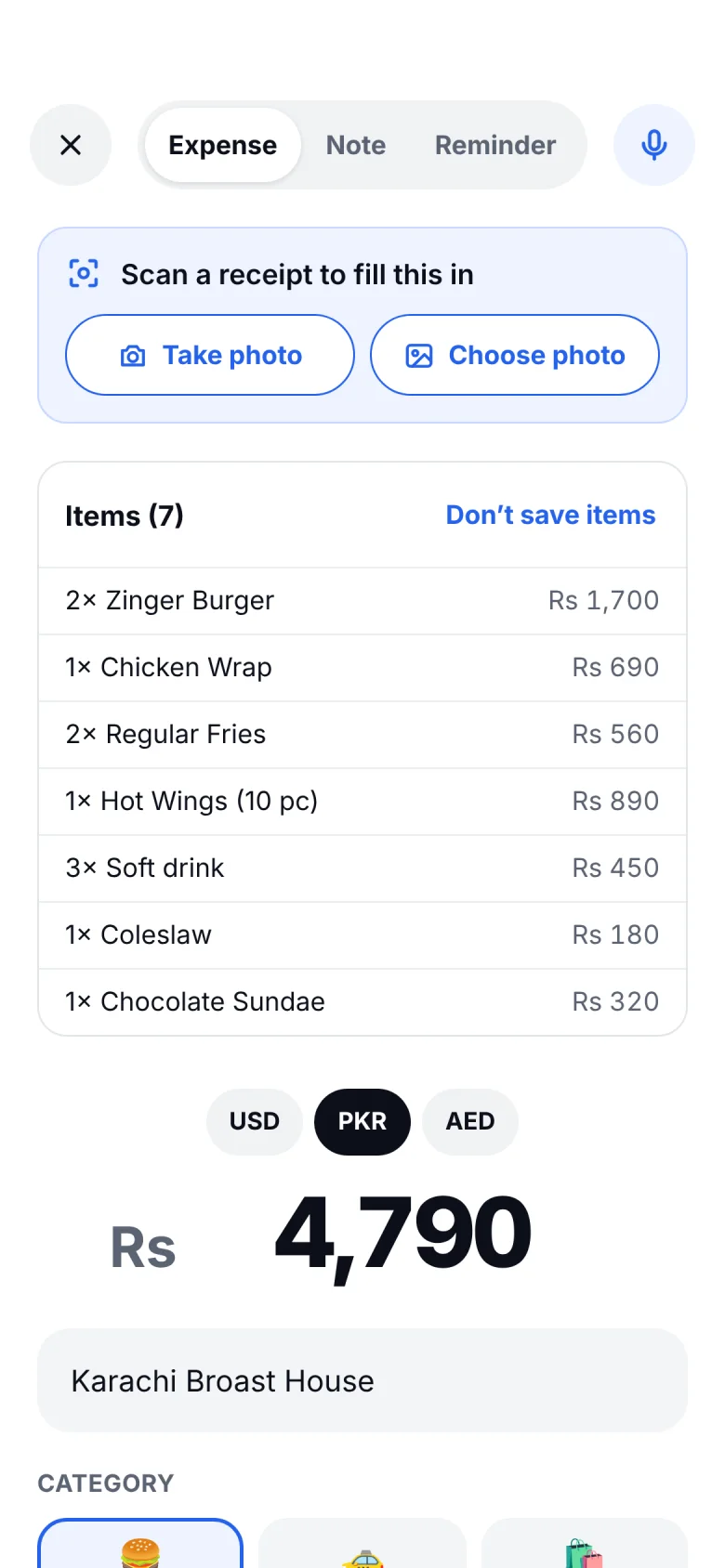
Companion scan screen with seven receipt items filled in and a total of Rs 4,790

Snap a receipt. Done.

Companion reads the total, the shop, the date and every item.

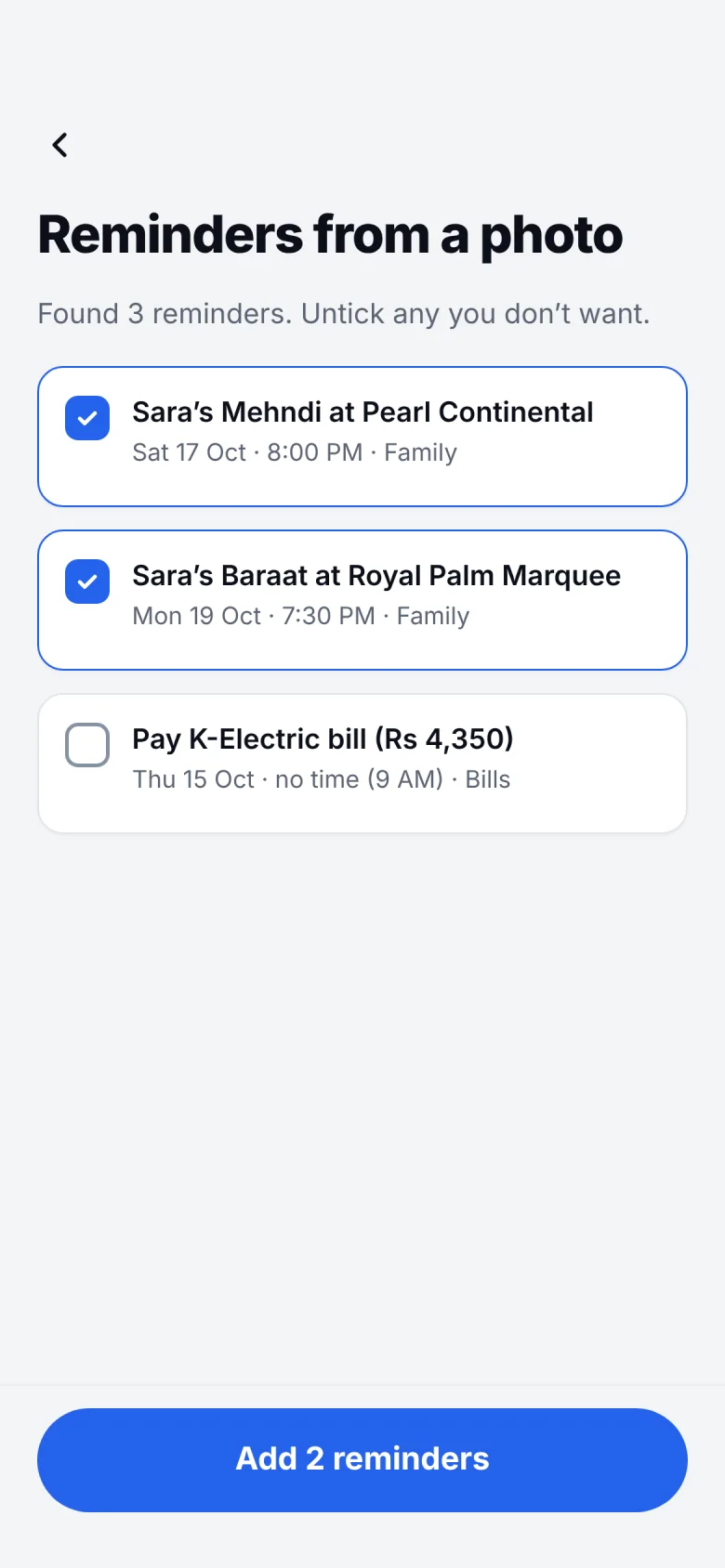
Companion screen offering three reminders found in a photographed wedding invitation and a bill

Not only receipts.

Photograph a wedding card or a bill and the dates become reminders. Untick any you don’t want.

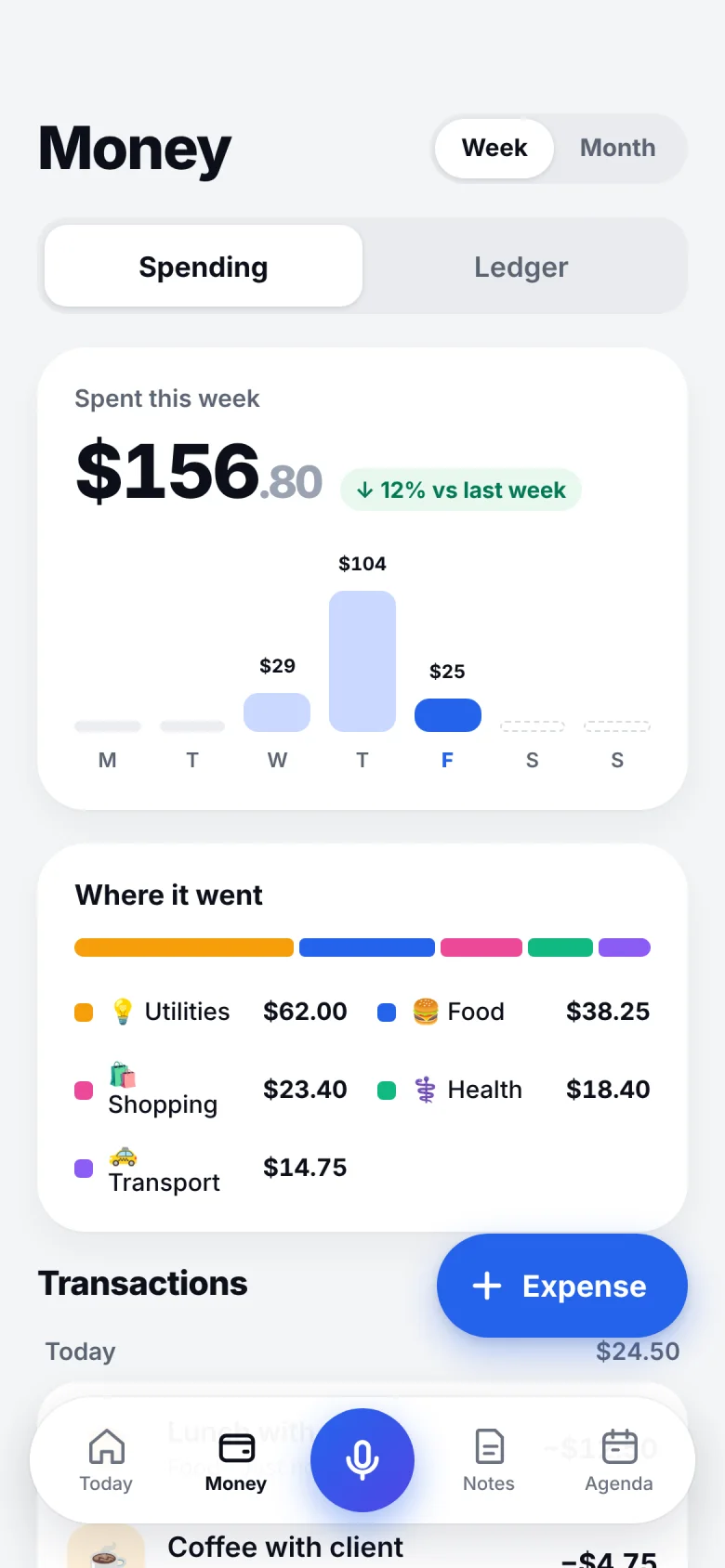
Companion Money screen showing this week’s spending by category

See where every dollar goes.

Spending by category, week or month.

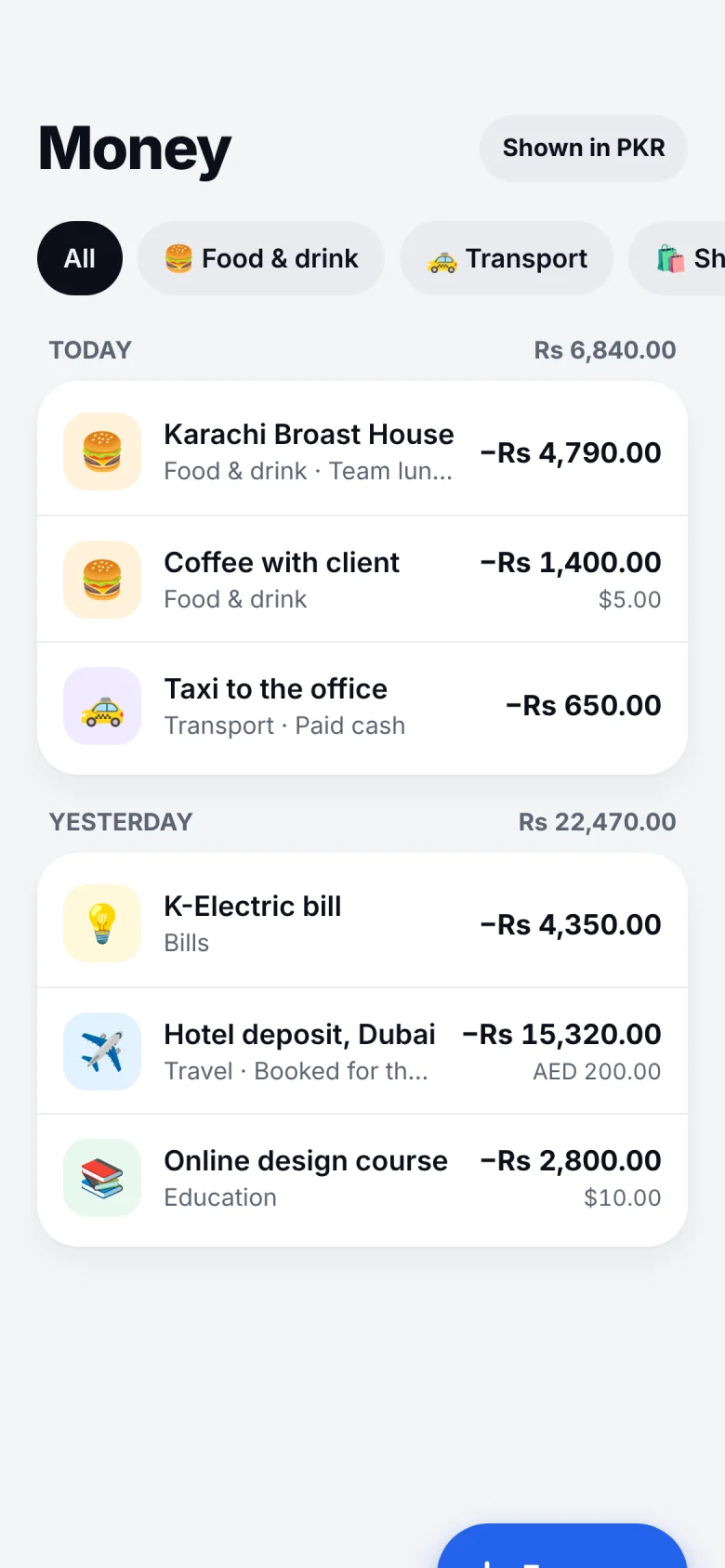
Companion Money screen listing transactions by day, shown in PKR with the original currency beside each

Three currencies, one total.

USD, PKR and AED are converted for you, and every expense can carry a note.

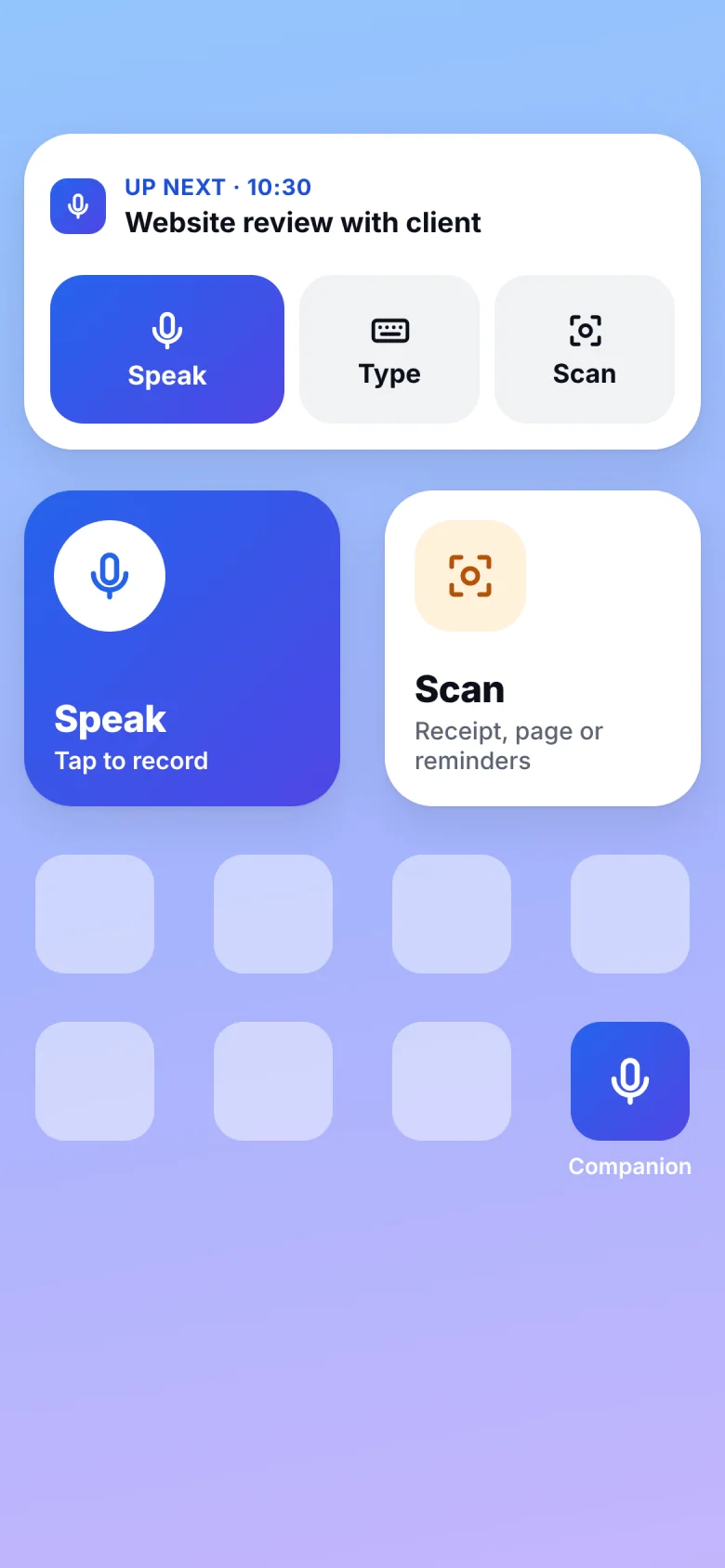
iPhone home screen with Companion’s Speak and Scan widgets

One tap from your home screen.

Speak or Scan widgets open the app straight into recording or the camera.

Run a business? Know who owes you.

The ledger keeps every customer and supplier balance, with a running total you can trust. Keep separate projects for your shop, your clients or a family wedding.

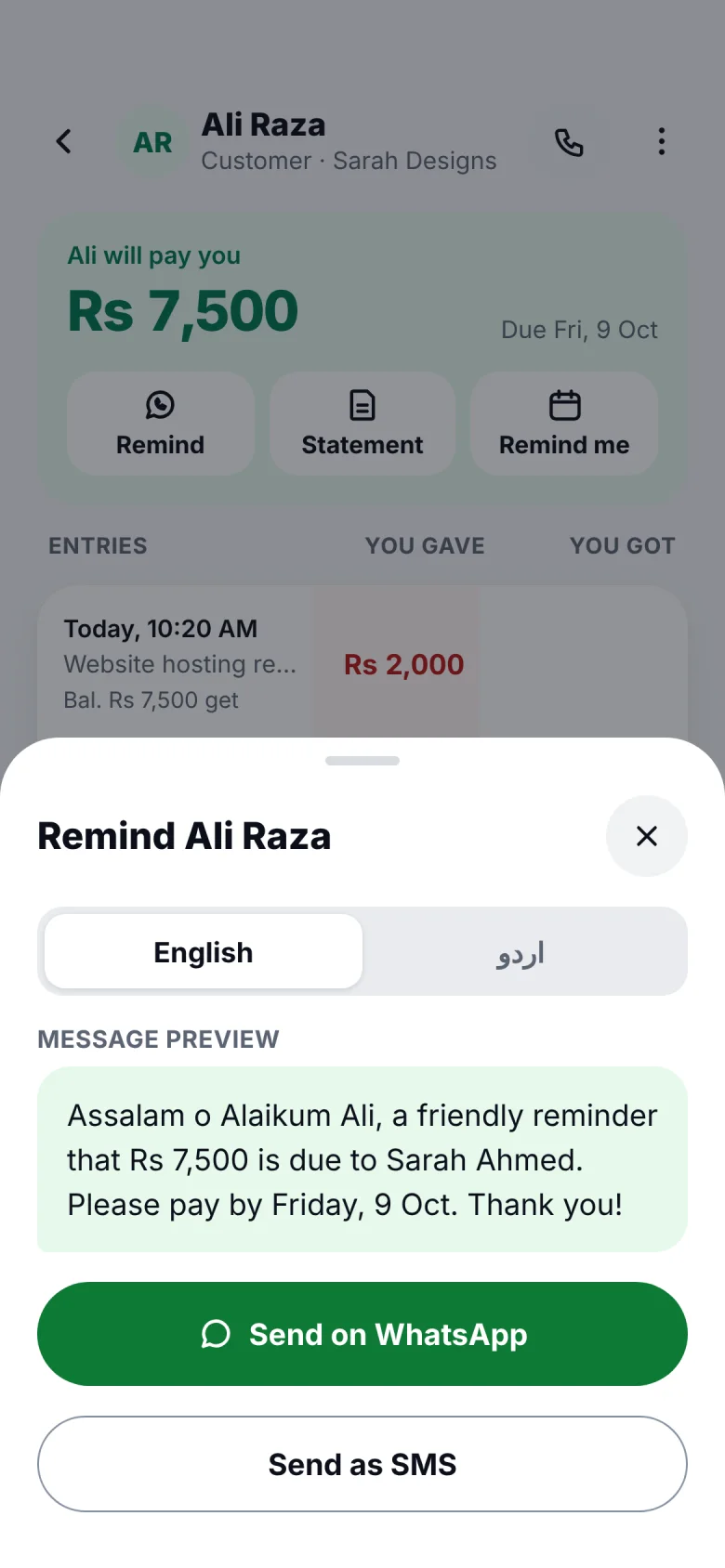
  • Friendly WhatsApp or SMS reminders, in English or Urdu
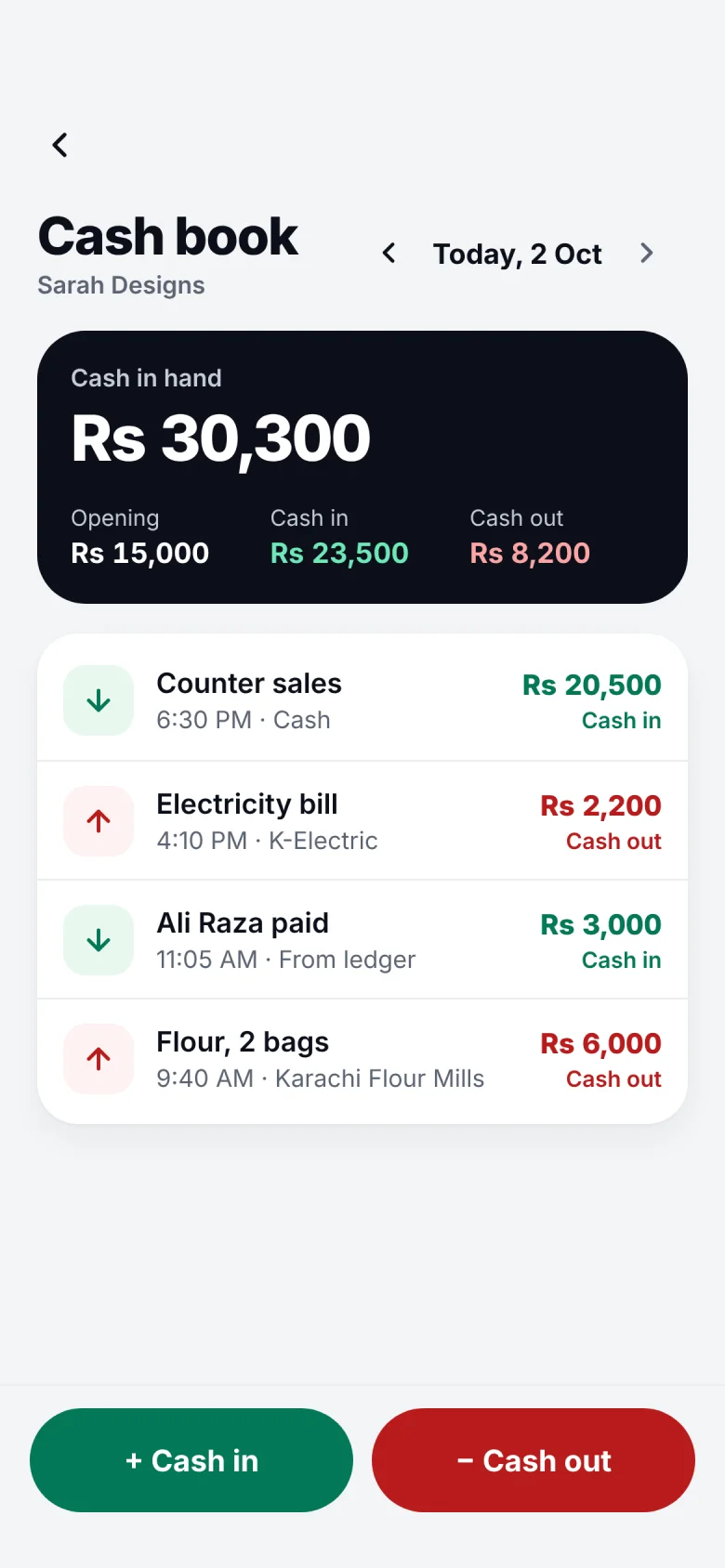
  • A daily cash book: opening balance, cash in, cash out
  • Statements to share as PDF, and every edit kept in history

علی رضا نے دو ہزار ادھار لیے

Said in Urdu, and it’s in the ledger.

You’ll get
$4,550
You’ll give
$1,200
Cash in hand tonight
$3,030
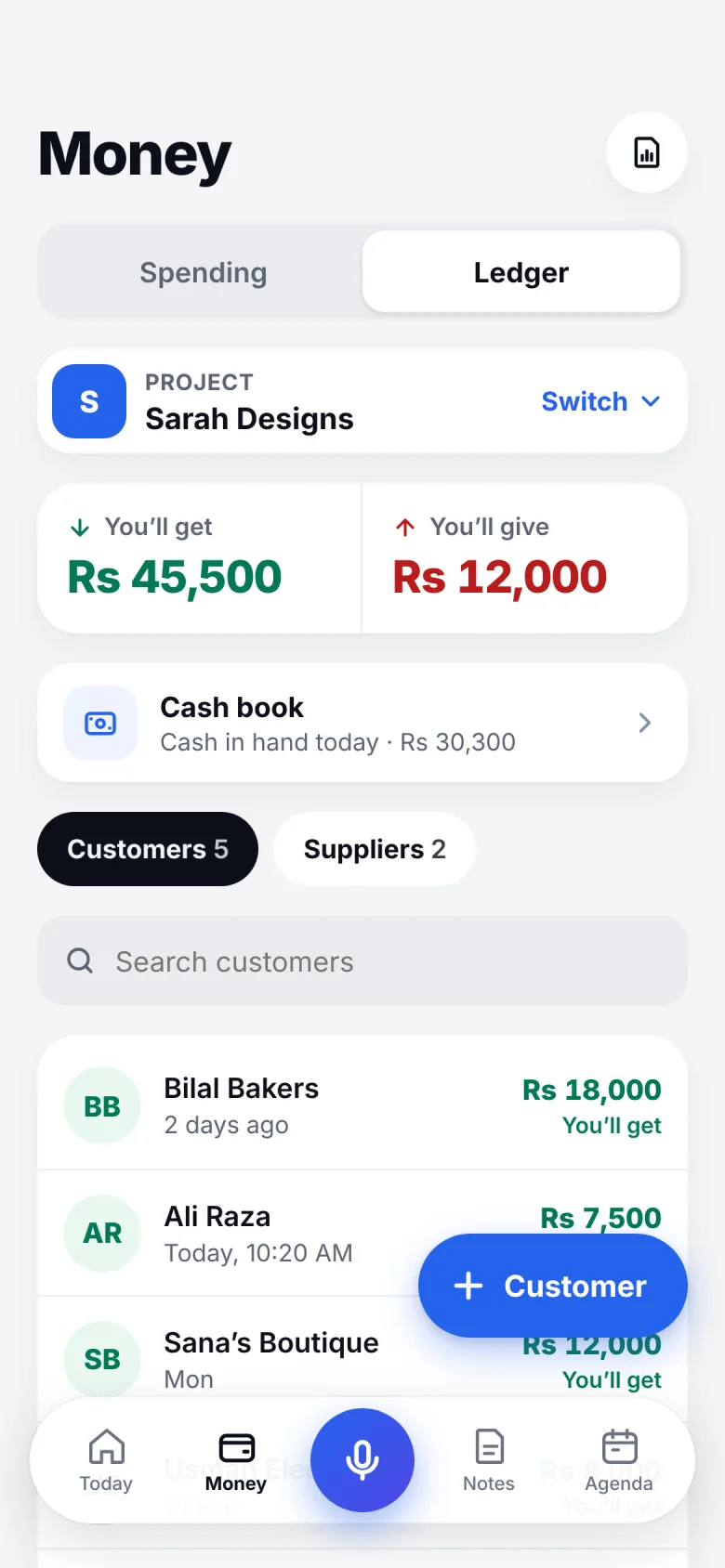
Companion Ledger for the Sarah Designs project: Rs 45,500 to get, Rs 12,000 to give, and a list of customers
Projects A separate book for each business, with customers and suppliers.
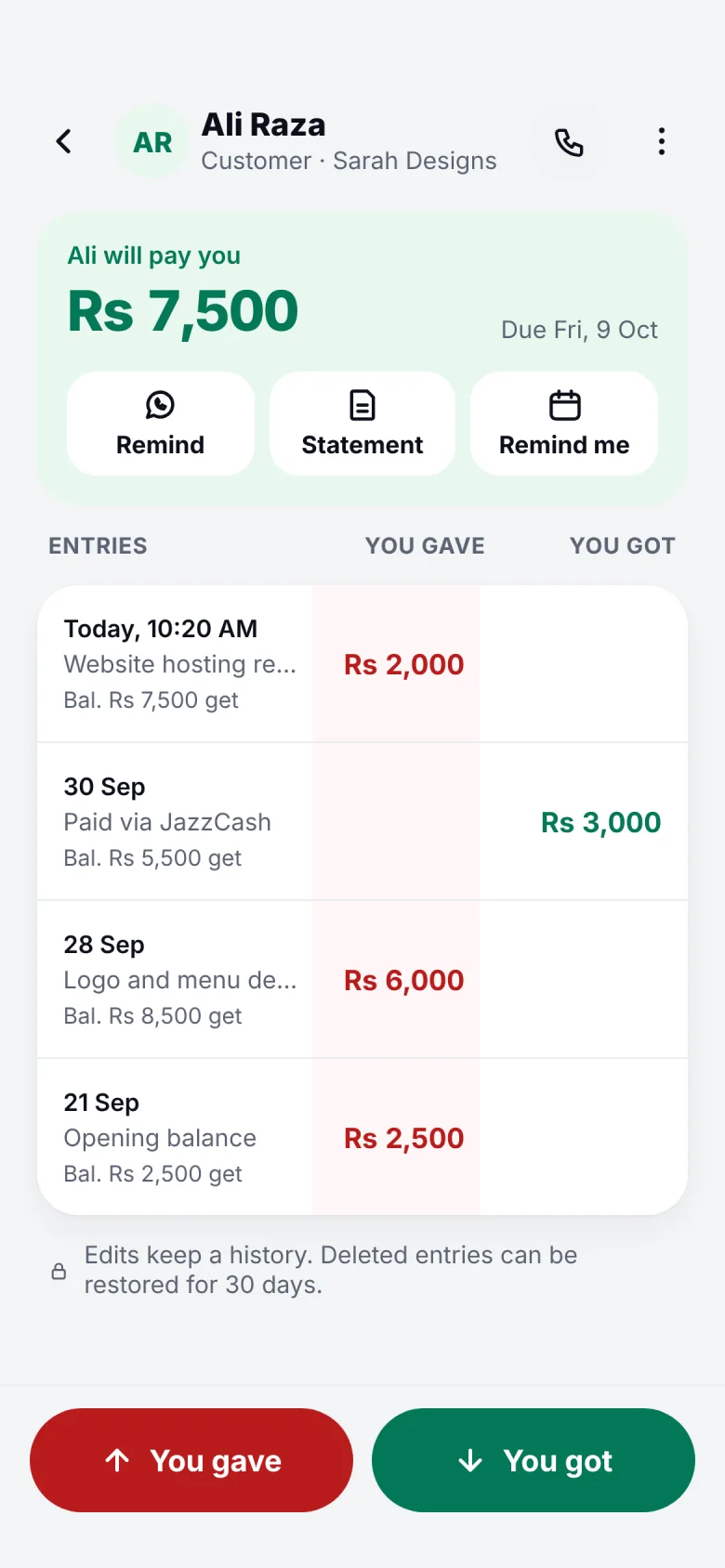
Companion ledger page for Ali Raza with every entry and a running balance of Rs 7,500
Running balance Every “you gave” and “you got”, totalled as you go.
Companion reminder sheet with a polite WhatsApp message for Ali Raza, switchable between English and Urdu
Reminders A polite message, written for you. Send it on WhatsApp or SMS.
Companion cash book showing Rs 30,300 cash in hand, with today’s cash in and cash out
Cash book Count the drawer at night: opening, in, out.

Speak the language you think in.

English first, plus other languages. Mix two in the same sentence and Companion still finds the amount, the date and the name.

You said

Spent twelve fifty on lunch with Sarah

Saved to MoneyLunch with Sarah $12.50

The same entry, whichever way you say it.

Companion review screen: it heard “Spent $12.50 on lunch with Sarah, and remind me to call the printer tomorrow at 10” and found an expense and a reminder

Made for people who’d rather talk than type.

Shop owners

Record udhaar between customers, count the drawer at night, and send payment reminders without the awkward call.

“Ali paid three hundred, cash.”

Freelancers

Join client calls on time, keep project notes with the recording, and track what each client still owes.

“Remind me to send the bakery invoice at noon.”

Busy families

Groceries, bills, school runs and birthdays, all from one sentence while you’re on the move.

“Paid the internet bill, and pick up dry cleaning at six.”

Mic off

Tap it. This page never touches your microphone; it only shows how the app behaves.

It listens only when you ask it to.

  • Recording is in your hands

    The mic is on only while you record. Tap again to stop, and check everything before it’s saved.

  • Calendars, read-only

    Companion reads event titles, times and meeting links. It never joins, records or edits a meeting on its own.

  • Your ledger stays yours

    Lock it with Face ID, back it up, and export to Excel whenever you like. Messages go out only when you tap Send.

Questions, answered.

Something else? Write to [YOUR SUPPORT EMAIL].

Which languages does it understand?

Every language. Speak in one language or mix two in the same sentence. Amounts, dates and names are picked out the same way in every language.

What if it gets something wrong?

Nothing is saved until you check it. You see each item it found and can change the amount, date or category with a tap. Every save has Undo.

Which calendars work with it?

Calendars on your phone, including Google and iCloud, plus Outlook and Microsoft Teams accounts. Companion reads event titles, times and meeting links only.

Does it work offline?

You can record anytime. Voice notes are saved on your phone and turned into text when you’re back online.

Can I use it for my shop?

Yes. The ledger tracks customers and suppliers, keeps a daily cash book, sends WhatsApp reminders and shares statements. Keep separate projects for each business.

How much does it cost?

Companion costs $5 a month.

Say your first thing.

Download Companion and try it with something you need to remember today.

Companion Today screen in dark mode